
Multi-column mode
Multi-column mode in TDBVertGridEh
By default, TDBVertGridEh displays one column of data, but using the DataColParams.VisibleColCount and DataColParams.ColWidth properties you can configure the grid to display multiple columns in the Data section.
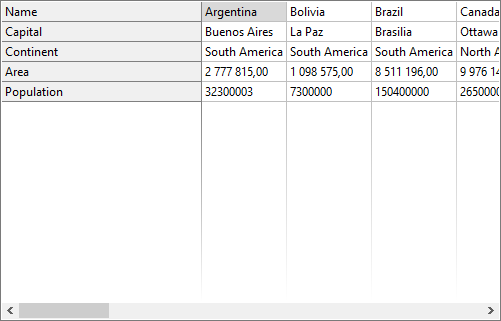
By assigning values to the TDBVertGridEh.DataColParams.VisibleColCount and TDBVertGridEh.DataColParams.ColWidth properties, you can set different display modes for columns and column widths.
Mode 1: DataColParams.VisibleColCount = 1, DataColParams.ColWidth = 0
Mode 2: DataColParams.VisibleColCount = 1, DataColParams.ColWidth > 0
Mode 3: DataColParams.VisibleColCount = 0, DataColParams.ColWidth = 0
Mode 4: DataColParams.VisibleColCount = 0, DataColParams.ColWidth > 0
Mode 5: DataColParams.VisibleColCount > 1, и DataColParams.ColWidth = 0
For an example of using the DataColParams.VisibleColCount and DataColParams.ColWidth properties, see the Demo project in the Demos\DBVertGridEh.MultiColumnMode\ folder.