
Row categories
Grouping rows by Category
TDBVertGridEh component allows you to group rows into categories. Use sub-properties of TDBVertGridEh.
RowCategories property to manage a categories.
Grid lines can be grouped into categories based on:
- Сategory name
- Field type
- Presence / absence of values in the current record.
To activate the grouping by category, set TDBVertGridEh.RowCategories.Active property to True.
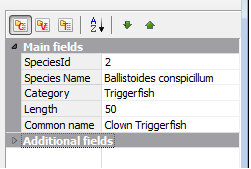
Type used to group categories defined by the property CategoryGroupingType. CategoryGroupingType has TCategoryGroupingTypeEh type and can contain the following values:
cgtFieldRowCategoryNameEh - Form category basing on TFieldRowEh.CategoryName property value. The number of categories determined by the number of unique values in the list of TDBVertGridEh.Rows[i].CategoryName values. Additional properties of the categories can be set using the properties of the TDBVertGridEh.RowCategories.CategoryProps collection.
cgtEmptyNotEmptyValueEh - To form category based on the presence of values in fields in DataSet. The grid line will fall into one of two categories. Category 1 - a field in which the values of the current record is not Null. Category 1 - a field in which the values of the current record = Null.
cgtFieldDataTypeEh - To form category based on the type of fields. Fields will fall into one of the following categories: Text fields, numeric fields, Logical fields, field type DateTime fields such as BLOB, another type of field.
With the TDBVertGridEh.RowCategories.CategoryProps property you can specify additional parameters such as:
DisplayText – The text that will be displayed in the grid
DefaultExpanded – Status Expanded / Collapsed category as the branches of a tree on the first grid displayed on the screen.
Simply create a collection element listed as the Name property in the name of the category and is additionally specify a property.
Use sub-properties of a TDBVertGridEh.RowCategories property to set Color Font ParentFont to adjust the font and color of the grouping string category.
Using the TDBVertGridEh.RowCategories.RowMoveOptions property you can allow Categories to move by mouse at the Run-Time, and move the items from category to category.
Use OnRowCategoriesNodeExpanded and OnRowCategoriesNodeCollapsed events to perform certain actions when a user opens and closes certain category.